










How To Check Walmart Gift Card Balance Online
To check balance of your Walmart gift card online To do this, follow these simple steps:
Step 1:
Visit Walmart’s Website Go to Walmart.com and click on the “Gift Cards” tab at the top of the page.
Step 2: Click on “Check Gift Card Balance” In the Gift Cards section, click on the “Check Gift Card Balance” link.
Step 3: Enter your 16-digit gift card number and 4-digit PIN number in the required fields.
Step 4: Click the “Check Balance” button to retrieve your gift card balance.
Step 5: View Your Balance Your current gift card balance will be displayed on the screen.
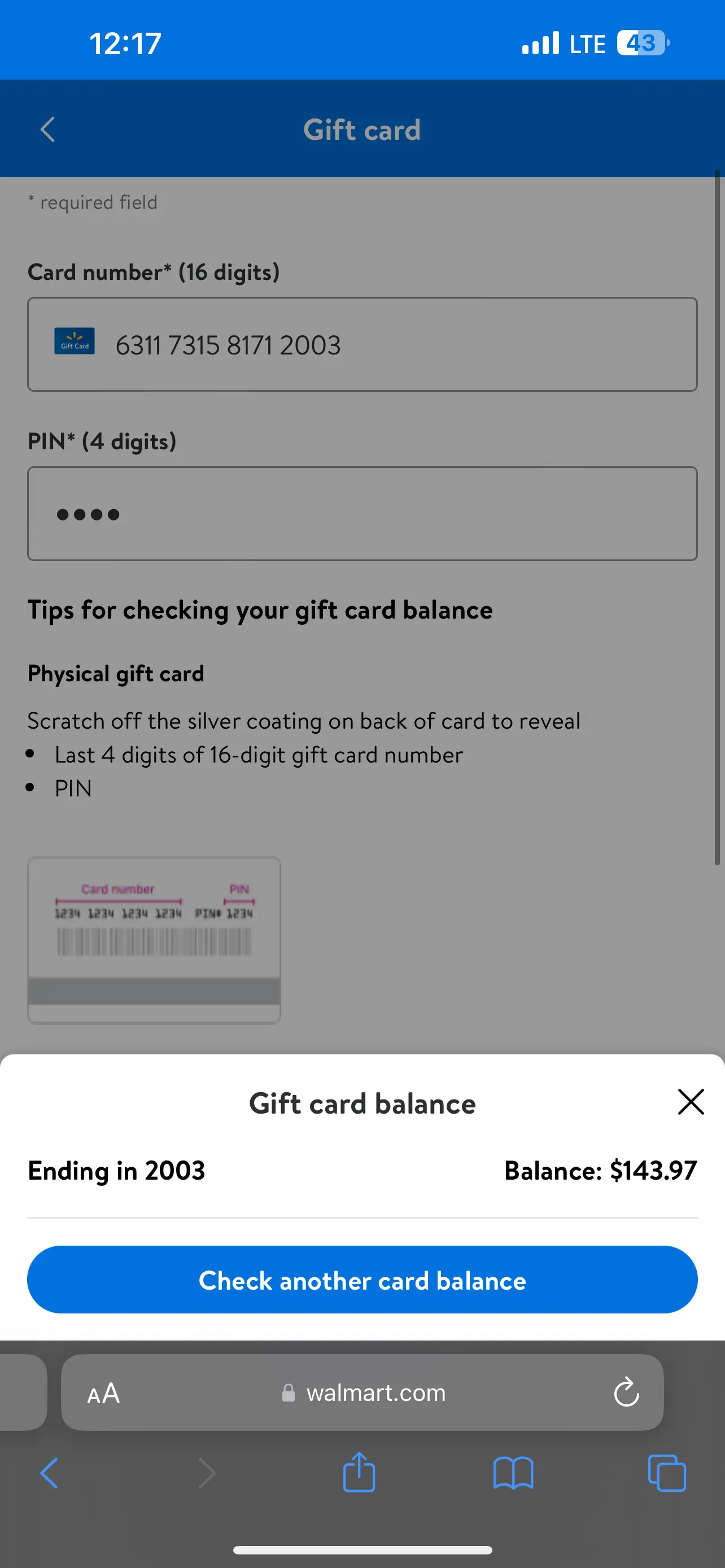
How To Check Balance through Walmart’s Mobile App
-
Download and install the Walmart mobile app on your device.
-
Sign in to your Walmart account or create a new one.
-
Tap on the “Gift Cards” tab and select “Check Balance”.
-
Enter your gift card details and tap “Check Balance”.
-
View your gift card balance on the app.
By following these simple steps, you can easily check your Walmart gift card balance online or through the mobile app.
How To Check Walmart Gift Card Balance By Phone
Another way to check the balance of your Walmart gift card is by using your phone. Here’s how:
-
Dial 1-888-537-5503
-
Provide your gift card number and PIN
-
Wait for a few seconds, and the automated system will provide the exact balance on your card
How to Check Walmart Gift Card Balance At Their Store
You can also check the balance of your Walmart gift card by visiting your nearest Walmart store. Simply head to the customer service desk and ask for assistance in checking your gift card balance.
Frequently Ask Questions
How do I check the balance on my Walmart gift card? On the Walmart check gift card balance page, enter the 16-digit gift card number found on your gift card and the 4-digit PIN located on the back of the card, then click the ‘Get Card Balance’ button to view your balance.
How do I check my Walmart gift card history online? To check your Walmart gift card balance history, you can visit a nearby Walmart store to check or print out your Walmart balance history, as checking your balance history online is not available.
Where is the PIN on a Walmart gift card? You can find the Walmart gift card PIN after the 16-digit gift card number found on your gift card.
Can I check the balance on my Walmart gift card online? Yes, you can check your Walmart gift card balance online by simply visiting the Walmart check gift card balance page.
Does Walmart gift card expire? Walmart gift cards do not expire, and there are no fees associated with them, such as purchase or maintenance fees. You can use your Walmart gift card without worrying about an expiration date.
How do I check the balance on my Walmart gift card without the PIN? you can’t check the balance of a Walmart Gift Card without a pin, you need a pin to check your Walmart gift card balance.
By using these methods, you can easily check your Walmart gift card balance and transaction history to ensure you’re on track with your spending. Happy shopping!